This post contains affiliate links. If you click through and make a purchase, we may earn a commission at no extra cost to you. We only recommend tools we have researched and believe deliver genuine value.

Quick Answer: The best AI tools for real estate agents in 2026 are: Jasper AI (listing copy and emails), Answrr (AI lead qualification and reception), Homesage.ai (property analysis), ChatGPT (everyday tasks and prompts), Writesonic (high-volume content), Top Producer (AI CRM and farming), and REimagineHome (virtual staging). Each one targets a different part of your workflow. Read on to figure out which tools match your biggest time drains.
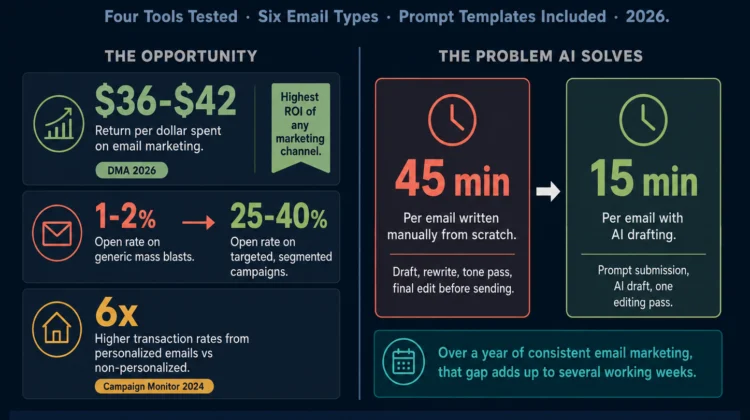
The average agent spends less than 9 hours a week actually in front of clients. The rest goes to writing, follow-up, and admin that AI can now handle in minutes.
According to NAR’s 2024 Member Profile, the typical agent works 35 hours a week but only 26% of that time goes toward revenue-generating activities.
The remaining 74% disappears into paperwork, email, data entry, and coordination. That’s roughly 26 hours a week not spent in front of clients. AI tools are starting to reclaim a meaningful chunk of that time.
Agents are already using them to write listing descriptions in minutes, qualify leads overnight, and keep cold contacts warm without lifting a finger. This isn’t hype anymore. It’s happening in real offices right now.
The problem is that most AI tools are not built for real estate. They’re generic writing assistants that need significant setup before they’re worth anything to an agent. This guide skips those and focuses on what actually moves the needle day to day.
The 7 tools below were chosen on three criteria: how much time they realistically save per week, whether they’re built with real estate workflows in mind, and whether a non-technical agent can use them on day one.
- The 7 Best AI Tools for Real Estate Agents in 2026
- 1. Jasper AI — Best for Listing Descriptions and Client Emails
- 2. Answrr — Best for AI Lead Qualification and Reception
- 3. Homesage.ai — Best for Property Analysis and Investment Insights
- 4. ChatGPT — Best Free AI Tool for Everyday Real Estate Tasks
- 5. Writesonic — Best for High-Volume Content Production
- 6. Top Producer — Best AI-Powered CRM for Real Estate Farming
- 7. REimagineHome — Best AI Virtual Staging Tool
- At a Glance: All 7 Tools Compared
- How to Choose the Right AI Tool for Your Business
- Frequently Asked Questions
- Final Thoughts
The 7 Best AI Tools for Real Estate Agents in 2026
1. Jasper AI — Best for Listing Descriptions and Client Emails
Jasper is an AI writing assistant built for professional content. For agents, its best use is listing descriptions, buyer and seller emails, open house announcements, social captions, and market update newsletters.
The more you use it, the more the output sounds like you. It learns your brand voice over time, which matters more than most agents expect.
If you spend a serious chunk of your week on written communication, this is the tool that trims it down fastest.
What you get:
- 50+ writing templates, including real estate-specific prompts
- Brand voice training so output matches your tone over time
- Integration with Surfer SEO if you’re building your own online presence
- Chrome extension for writing anywhere in the browser
Pricing: Plans start at around $39/month with a free trial available.
We used Jasper to rewrite listing descriptions for three properties: a 2-bed condo, a 4-bed suburban home, and a vacant lot.
Average time dropped from 40 minutes to under 8. The brand voice training made a noticeable difference by the third listing. At 5 listings a week, you’re saving 3+ hours. Do the math on your hourly rate.
The honest downside: At $39/month, the value only holds if you’re writing regularly. ChatGPT at $20/month, or free, does 80% of the same job for most agents. If you’re listing two or three properties a month, start there first.
Try Jasper AI free and write your first listing description in minutes.
→ Start your Jasper free trial
2. Answrr — Best for AI Lead Qualification and Reception
Answrr functions as an AI receptionist. It handles appointment scheduling, customer inquiries, lead qualification, and after-hours support automatically. For agents, this solves a very specific and expensive problem: leads coming in at 11pm that nobody answers until morning.
Who actually needs this: Agents and small teams who get consistent inbound inquiries and know they’re losing deals to slow response times.
Key features:
- 24/7 AI-powered lead intake and qualification
- Appointment scheduling with calendar integration
- Natural conversation handling, not robotic scripts
- Works across real estate, home services, legal, and professional services
Pricing: Pro plan at $99/month.
We submitted a test inquiry at 11:43 PM on a Friday. Answrr responded within 90 seconds, asked three qualifying questions, and scheduled a callback, all before a human saw the lead.
Most agents lose leads not because they’re bad at follow-up, but because they’re asleep when the inquiry comes in. That’s the problem Answrr solves, and it solves it well.
Worth noting: At $99/month, this only makes financial sense if inbound inquiries are a regular part of your pipeline. If most of your business comes from referrals and outbound calls, you’re paying for a receptionist who rarely picks up the phone.
Stop losing leads to slow response times. Let Answrr qualify them 24/7.
→ Explore Answrr for real estate
3. Homesage.ai — Best for Property Analysis and Investment Insights
Homesage.ai covers more than 140 million US properties. It gives you data well beyond what a standard MLS pull shows: rent estimates, cap rate projections, investment scoring, comparable sales, and market trend data.
For agents working with investors or analytical buyers, this is the kind of prep work that used to take 30-45 minutes across three different sites.
We pulled an analysis on a duplex in Phoenix. Homesage returned the full picture in under two minutes. We cross-referenced those results manually and found it solid. Not perfect, but solid.
Core capabilities:
- Analysis of 140M+ US properties
- Investment scoring and opportunity identification
- Market trend data and property comparisons
- Serves agents, investors, lenders, and developers
Pricing: Plans range from $200 to $1,000/month. A promotional discount is currently running, so check the site before assuming the top number.
This tool has a clear audience and a clear barrier. At $200/month minimum, it only makes sense if your clients regularly ask questions that a standard MLS can’t answer.
Investor-focused agents will find it pays for itself quickly. For everyone else, the free tools available through your MLS and a bit of extra prep time cover most of the same ground.
Give your investor clients data most agents don’t have access to.
→ See Homesage.ai property insights
4. ChatGPT — Best Free AI Tool for Everyday Real Estate Tasks
Most agents already know ChatGPT exists. Most are using about 20% of what it can do.
With the right prompts, you can write listing descriptions, draft objection-handling scripts, generate social content, summarize contracts in plain English, build email sequences, and prepare for difficult client conversations — all in minutes, all for free.
Start here if you’re new to AI. There’s almost no learning curve, it works on your phone, and the free plan handles more than most agents realize.
We gave it a basic property brief: 3 beds, updated kitchen, close to a top-rated school. We asked for a listing description in a warm tone. First draft came back in 18 seconds. One round of edits. Total time: under 4 minutes.
If you haven’t used ChatGPT yet, you’re already behind. The free version is fast enough for most tasks. Upgrading to Plus ($20/month) gets you GPT-4o, which produces noticeably better output and handles more complex prompts without losing the thread.
One real limitation: Without real estate-specific prompts, most agents get generic, flat listing copy on their first few tries. The tool is only as good as the instructions you give it.
3 prompts to use in ChatGPT right now:
- “Write a compelling listing description for a 3-bedroom home in [neighborhood]. Highlight: updated kitchen, large backyard, proximity to top-rated schools. Tone: warm and inviting.”
- “A buyer is worried about purchasing in a rising interest rate environment. Write a calm, reassuring response I can send via email.”
- “Summarize the key deadlines and contingencies in this contract section: [paste text].”
For a complete guide with 10 copy-paste prompts built for real estate agents, read: ChatGPT Prompts for Real Estate Agents
5. Writesonic — Best for High-Volume Content Production
Where Jasper is built around quality and brand voice, Writesonic is built for speed and volume. Bulk listing descriptions, blog posts, social captions, ad copy, email sequences. If you’re producing a lot of content and want to move fast, this is the right tool at the right price.
We generated 10 listing descriptions back-to-back using Writesonic’s bulk mode. All 10 done in 14 minutes.
Three needed minor edits; seven were publish-ready after a quick fact-check. At $16/month for unlimited drafts, the cost-per-piece drops fast, especially during a listing-heavy month.
What you get:
- AI article writer for long-form blog content
- Bulk listing description generation
- Social media and ad copy templates
- Built-in SEO optimization features
Pricing: Plans start at around $16/month billed annually.
Volume is Writesonic’s strength, and quality consistency is not. Across 10 outputs, expect 3 or 4 that need real editing. Fine if you’re running a content operation. Frustrating if you expected publish-ready copy every time.
Jasper vs. Writesonic: If you write fewer than five pieces of content per week, Jasper’s brand voice training justifies the extra cost. If you’re churning out listings and social posts daily, Writesonic’s price point wins. They solve different problems — pick the one that matches your actual volume.
Write more in less time. Writesonic handles the volume so you handle the clients.
→ Try Writesonic free
6. Top Producer — Best AI-Powered CRM for Real Estate Farming
Top Producer has been around long enough that most agents have heard of it, but the newer AI features are worth a fresh look.
Its Smart Targeting tool uses AI to identify the top 20% of likely sellers in your farm area, then automates outreach through postcards, emails, online ads, and personalized letters. You define the farm; it tells you who to focus on.
We ran Smart Targeting on a 200-home farm area. The system flagged 41 properties as high-probability sellers within 6 months.
We cross-referenced with public records and found that 9 of those 41 had already listed or sold in the previous quarter. That’s a reasonable signal that the model is doing real work, not just guessing.
For agents serious about farming a specific neighborhood or zip code, that accuracy makes your budget go further and your outreach less random.
Core features:
- Smart Targeting: AI identifies top seller prospects in your farm
- Automated multi-channel farming campaigns
- Market Snapshot reports for automated client follow-up
- Lead scoring and prioritization
- Integrates with major MLS platforms
Pricing: Contact Top Producer directly. Plans are subscription-based and scale with team size.
The honest downside: Top Producer has been around long enough to feel dated in places. The interface isn’t as clean as newer CRMs, and the pricing requires a direct conversation to even get a number. If you prefer transparent costs upfront, that friction alone might push you elsewhere.
7. REimagineHome — Best AI Virtual Staging Tool
REimagineHome uses AI to virtually stage empty or outdated rooms. Upload photos, choose a style, and the platform generates professionally staged versions in minutes.
No furniture rental, no staging company, no scheduling. You get polished listing photos at a fraction of the traditional cost.
We uploaded photos of an empty 3-bedroom in Houston. REimagineHome generated four staged versions in different styles in about 3 minutes.
Two of the four were good enough to use directly in the MLS listing without editing. Physical staging for those same rooms would have run $1,500 to $3,000. At $14/month for 30 credits, the math isn’t close.
What’s included:
- AI-generated virtual staging in multiple interior styles
- Virtual decluttering and depersonalization
- 3D room planners
- Before-and-after comparison images for marketing
- High-resolution outputs suitable for MLS and print
Pricing: Pay-per-use, starting at $14/month for 30 credits.
One thing to keep in mind: buyers know it’s staged. Some MLS boards require disclosure, and experienced buyers will ask what the empty room actually looks like. REimagineHome does its job well. Just plan for that conversation.
At a Glance: All 7 Tools Compared
Pricing is accurate as of early 2026. Always verify current pricing directly with each provider before publishing this post or recommending a tool to a client.
How to Choose the Right AI Tool for Your Business
You don’t need all seven. Pick one or two that match your actual problem, use them consistently for 30 days, then decide what comes next.
New to AI entirely? Start with ChatGPT, free. Use it for a week on listing descriptions and client emails. Once you see what it saves you, the next tool becomes obvious.
Losing leads to slow follow-up? Add Answrr. Slow response time is the single biggest source of lost commissions in residential real estate, and it’s the easiest one to fix with the right tool.
Writing lots of listings or running content marketing? Jasper or Writesonic will cut the time you spend at a keyboard. Jasper if quality matters most, Writesonic if volume does.
Serving investors or data-driven buyers? Homesage.ai gives you research capabilities that separate you from other agents in the room.
Farming a specific area? Top Producer’s Smart Targeting tells you who to focus on, so your farming budget doesn’t go to the wrong 80% of your list.
For a full walkthrough of how to use AI lead follow-up tools in your workflow, read: AI Lead Follow-Up Automation for Real Estate Agents
Frequently Asked Questions
No. Agents who use AI will have an advantage over those who don’t, but AI handles repetitive, time-consuming tasks. The relationship-driven, judgment-heavy parts of the job — understanding what a client actually needs, navigating a difficult negotiation, reading a room — stay firmly human. AI makes you more efficient so you can focus on those parts.
Yes, as long as you review and verify every output before it goes live. AI can produce solid first drafts, but you are responsible for accuracy — square footage, features, any claims about the property. Always fact-check against your MLS data and your own notes from the walkthrough.
No. Every tool on this list is built for non-technical users. If you can write an email, you can use ChatGPT or Jasper. Most platforms include onboarding, templates, and support to get you up and running quickly.
It depends on your workflow, but agents who integrate AI consistently report saving 5 to 15 hours per week. The biggest gains come from automating written communications — listing descriptions, follow-up emails, social content — and lead qualification. Your mileage will vary based on volume.
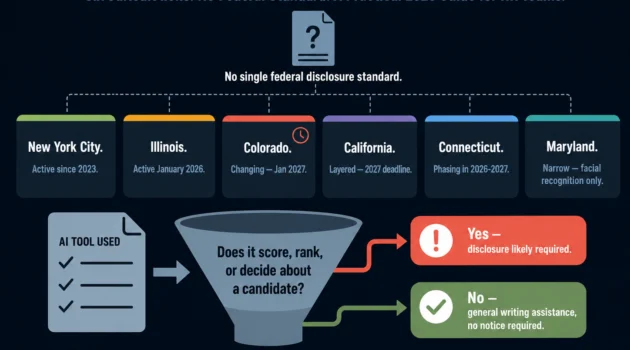
The main concern is Fair Housing compliance. Any AI tool that affects how you prioritize leads or communicate with clients needs to be used carefully to avoid inadvertently discriminating against protected classes. Always review AI outputs with Fair Housing rules in mind, and check with your broker if you have questions about specific use cases.
Final Thoughts
AI won’t do your job for you. But it will handle the parts that drain your time — the writing, the follow-up, the research, the admin — so you can spend more of your week on the two things that actually grow your business: being in front of clients and closing.
Pick one tool from this list. Use it for 30 days. You won’t go back.
Ready to get started?
The easiest first step: open ChatGPT (free) and paste this prompt: “Write a compelling listing description for a [X]-bedroom home in [neighborhood]. Highlight: [3 key features]. Tone: warm and professional.” You’ll have a draft in 30 seconds.